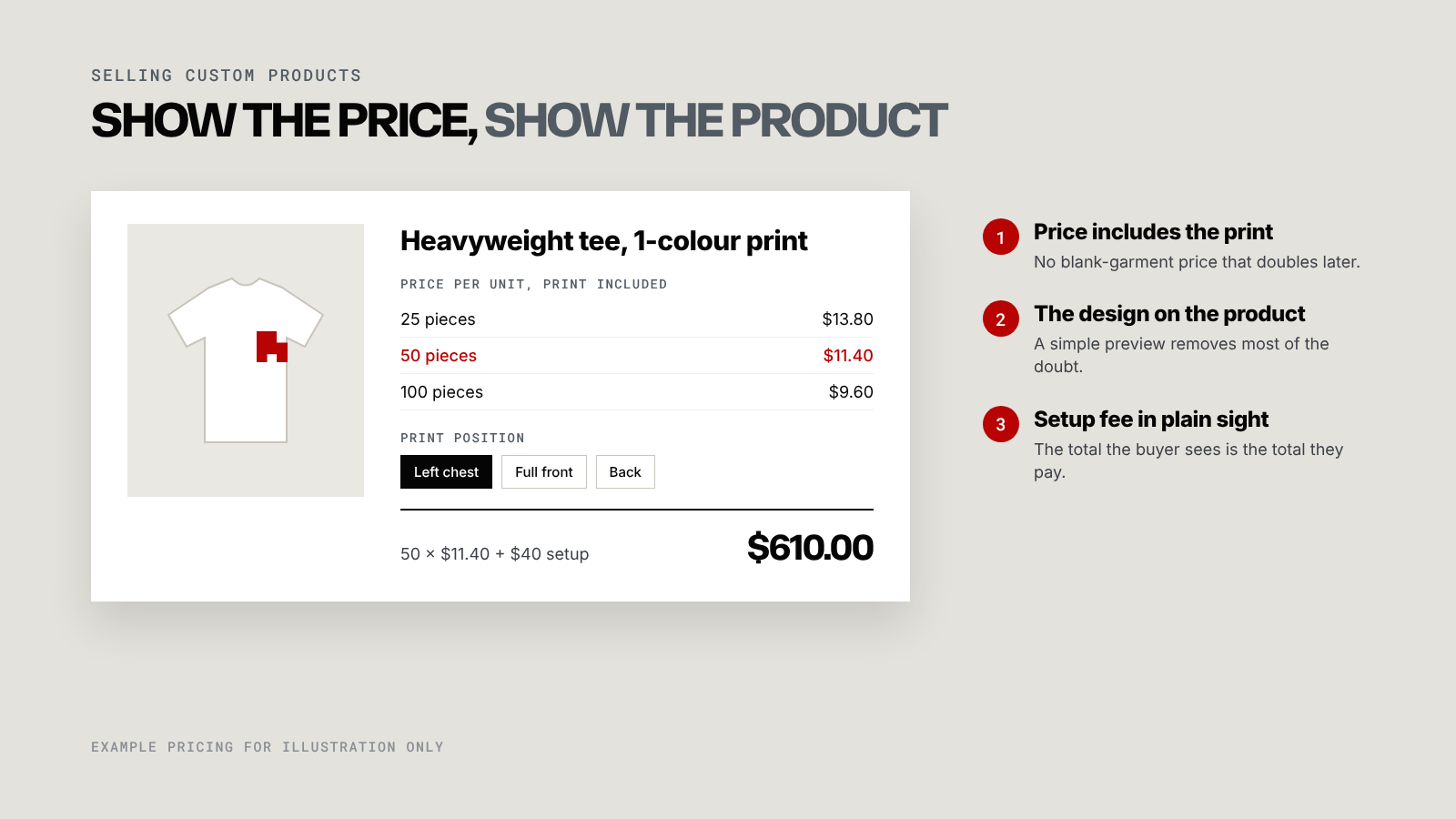
Anyone buying custom products online, whether it's 50 printed tees or a run of embroidered caps, has two questions before anything else: what will this cost, and what will it look like? Sites that answer both on the page get orders, and sites that answer neither get emails.
Answering "what will it cost?"
Buyers don't need a perfect price. They need one they can trust enough to keep going.
- Show totals that include decoration. A blank tee price on a print shop's site is misleading, even when it's technically accurate.
- Publish your quantity breaks. A small table for 25, 50 and 100 pieces covers most buyers.
- Put the setup fee where people can see it. Hidden fees that appear at checkout are the fastest way to lose trust.
- Price instantly where you can, quote where you must. Standard items can have a calculator. A complicated multi-position embroidery job can still go through a quote, as long as the page says roughly what to expect.
Some businesses hide prices to "start a conversation". In practice, the buyer starts that conversation with a competitor whose prices are on the page.
Answering "what will it look like?"
The buyer is imagining their logo on your product. Help them see it.
- Preview the design on the garment, even if it's a simple placement mockup rather than a full 3D configurator.
- Offer clear placement options like left chest, full front and back, with a picture of each.
- Make the selected colour obvious. A swatch that barely changes when clicked leaves people unsure what they chose.
- Promise a proof before production, and say it near the order button.
If a full configurator is out of budget
A custom product builder with live mockups and instant pricing is the ideal, and it's a real investment. There are good steps in between:
- A clear price table plus a handful of static mockups for your bestsellers.
- A quote form that asks only what you need and replies with a price within a few hours.
- A configurator for your top three products only, with everything else on quotes.
Each of these is a big improvement on a blank product page and a contact form.
If you want to see what a full version looks like, the B2B ordering portal case study includes a live customiser. If you want help deciding which step fits your business, the services page explains how I usually start.